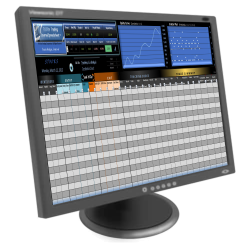
Trading Journal Spreadsheet

Trading Journal Spreadsheet
TJS Trading Log
Record It, Track It, Analyze It!
Expertly crafted, simple to use trading spreadsheets for traders.
Products for all: Stock, Options, Futures, Forex, SpreadBetting, CFD markets.

Wednesday, January 25, 2012

Excel Skills Builder

Although you don’t need to know much about Excel to use the TJS Trading Journal Spreadsheet, I am sometimes asked, “How can I learn more about Excel?”

There are many books on the subject, along with low-cost courses at your local community college but if you’re looking for an easy interactive way to sharpen your Excel skills, Microsoft has put together a set of online tutorials for Excel.


To learn more, click one of the following links:

Excel 2010 Skills Builder
Excel 2007 Skills Builder
Excel 2003 Training


Wednesday, January 4, 2012

New features coming to the TJS Elite!!!  *** Beta testers needed ***
Some noteworthy enhancements are:

1) File size is now much smaller - Opens and Saves quicker.
2) TradingLog - New Candlestick (Weekly/Monthly) progress chart.
3) TradingLog - New Equity calculations (Open, Closed, Account).
4) TradingLog - New "Scale In/Out" icon.
5) Macro Automations
  • TradingLog - 'Quick-click' link to insert new trade rows.
  • TradingLog - 'Quick-click' link to "Sort" by Exit Date - Great for Swing/Position traders.
  • TradingLog - 'Quick-click' link to enable and disable the MAE/MFE analysis columns.
  • Tracking sheet Category headings are now synced with the TradingLog Tracking Code headers.
  • AUTOMATIC Data-transfer from old file to the new file!

If you are a current TJS Elite (All-in-One) user and would like to get a free advanced beta copy of this v3 version, please contact me at: Greg@TradingSpreadsheets.com

Tuesday, January 3, 2012

2012


We're now underway in to a New Year and TJS would like to thank you for your support of the TJS products and wish you much happiness, health and prosperity in 2012.

If you've purchased the new TJS Elite, please know that the product collects no moss around here. We are adding some interesting touches to the Elite versions which should be complete within the next month. 100's of hours spent and substantial expenses on outsource coding, but rest assured... these updates are no charge to existing users.

Keep Tracking & Analyzing!

Wednesday, October 19, 2011

Trading Q and A


Q:  Is there a way to track other things?... I'm working with 'stops', and I want to track the size stop necessary for each trade so as to not get stopped out.


A:  You can certainly track different exit management techniques in the Exit Strategy section of the Tracking sheet. I’ll go into more detail below just in case I didn’t understand your question correctly, and then I’ll comment more just in case there is a hidden question in there somewhere  ;-)

Friday, October 7, 2011

Your Trading "Edge"

In pertaining to the TJS products, your 'edge' can be defined as this: "The TJS will give you the statistical analysis necessary to form the basis of all future decision making processes. The 'edge' simply put, is gaining the confidence knowing your trading plan is working in specific Performance-tracking segments, or knowing when certain aspects of your plan need to be refined, or abolished."

When trading with 'confidence', you are more apt to pulling the trigger each and every time you are presented with an opportunity that your analysis states has a positive expectancy. When trading with confidence and information to back it up, you can justifiably allow for more risk to be taken on those trade-types, gradually increasing your profits over time. Conversely, you will know what is taking away from your bottom-line so your focus can remain on what is working.

...here's to finding your edge!


Wednesday, July 27, 2011

Trading Progress


“Trading Progress”… Here are some ways to help you achieve the behavior/psychology needed to reach your goals of becoming a competent market trader.

For more on the psychological part of trading, I really recommend reading, “Trading In The Zone” by Mark Douglas. This is one of my few trading "bibles".

Tuesday, June 28, 2011

What is a trader, you say?

Interesting video I just ran across... sums it all up pretty well. Worth a peek.

Monday, June 6, 2011

Update Excel!


When is the last time you updated Excel or (MS Office)?

If you haven't done so recently, you may want to think about it, especially if you've been incurring issues. Click on the Microsoft "Update Excel" link (above) to download the updates.

You'll also have the ability to set up your updates automatically (from the links on the left side of the Windows Update box).

Tuesday, May 17, 2011

Quick 'Summary' Using Excel's Status Bar


For those that don't know... Excel displays a very helpful summary in the (lower status bar) window.

Just scroll & highlight any numeric data column and you'll see some interesting calculations come to life:

* Sum
* Average
* Minimum
* Maximum
* Count (# of items)

Unlike a formula entered into a cell, you cannot permanently keep these results in your trading spreadsheet, but when you want a quick answer to a question on your input area, it can't be beat for its quick and instant display.

To change your choice of what the status bar displays, just right-click in the status bar to see your choices (towards the bottom-half), then check or uncheck the ones you want displayed.

Click the image to see an example using the new TJS Elite.

Tuesday, May 3, 2011

Bye Bye April... Hello May


Bye April, hello May! I hope you all had a successful trading month and are eager to continue (or start) your trade-tracking endeavor.

Remember, success does not always mean being profitable, especially for beginning traders. You can judge your success by how well you followed your trading plan, and how diligent you were in recording ...and reviewing your trades.

Let May be the month where you continue tracking your trades, adding key data needed to properly analyze your results and progress. This data will soon present patterns of mini successes and failures so you know what to focus on, and perhaps... what needs to be abolished.

Remember, I am always here to lend a hand if you need any assistance getting up and running with your TJS Trading Journal Spreadsheet. Don't let the file sit in a dark directory somewhere collecting computer dust. Put the file icon front and center on your desktop. Make it your friend and ally and... create some data!

What's next?


TJS is looking to raise the bar on spreadsheet trade-tracking. We're thinking... all markets from 1-file, menu driven, multiple broker ledger, new design, more tracking capabilities, interactive macros, etc.

What do you think... comments, suggestions... anyone!

You don't need the luck of the Irish when you're trading with a sound trading-plan and tracking your progress with the TJS!

This St. Patrick's Day -- onward, your best chance for success is to follow your plan, track your trades, then adjust your plan when your analysis suggests to do so.

Be disciplined and keep a detailed trade log for consistency and ultimate success.

Happy St. Patrick's Day!
Greg at TJS

Forex and Futures - update


New "Position Sizer" sheet added to the Forex and Futures Pro v7 products.

Never be at a loss as to how many contracts can be purchased. Calculations are based on specific user-defined parameters. This is a great tool to stay consistent with your money management regime, which all consistently profitable traders adhere to.

Current "Pro v7" product users can get this updated file for free. Just go to the (link above) and submit the form.